 SteadyTrends
Put down the clipboard.
Keep the data.
SteadyTrends replaces paper behavior sheets with a simple tap-to-record tool — so your team gets accurate data from even the busiest school day.
Become a testerFree · about 15 minutes · made-up data only. No account needed. Sign up with the short form below.
- Windows app, or Chrome / Edge
- Works offline
- PIN-protected profiles
- Encrypted on the device
Paper data sheets weren’t built for a busy classroom day.
When a student needs you, the clipboard waits. Tallies get added from memory, times get estimated, and sheets get lost or are hard to read later. The behavior plan is only as good as the data behind it.
- Data recorded after the factBusy moments mean marks are filled in later, from memory.
- Durations are guessesIt’s hard to time an episode with a pencil in one hand.
- Hard to see the trendTurning stacks of sheets into a clear picture takes hours nobody has.
- Parents get a vague recap“He had a rough morning” doesn’t tell the whole story.
Simple enough to use in the moment.
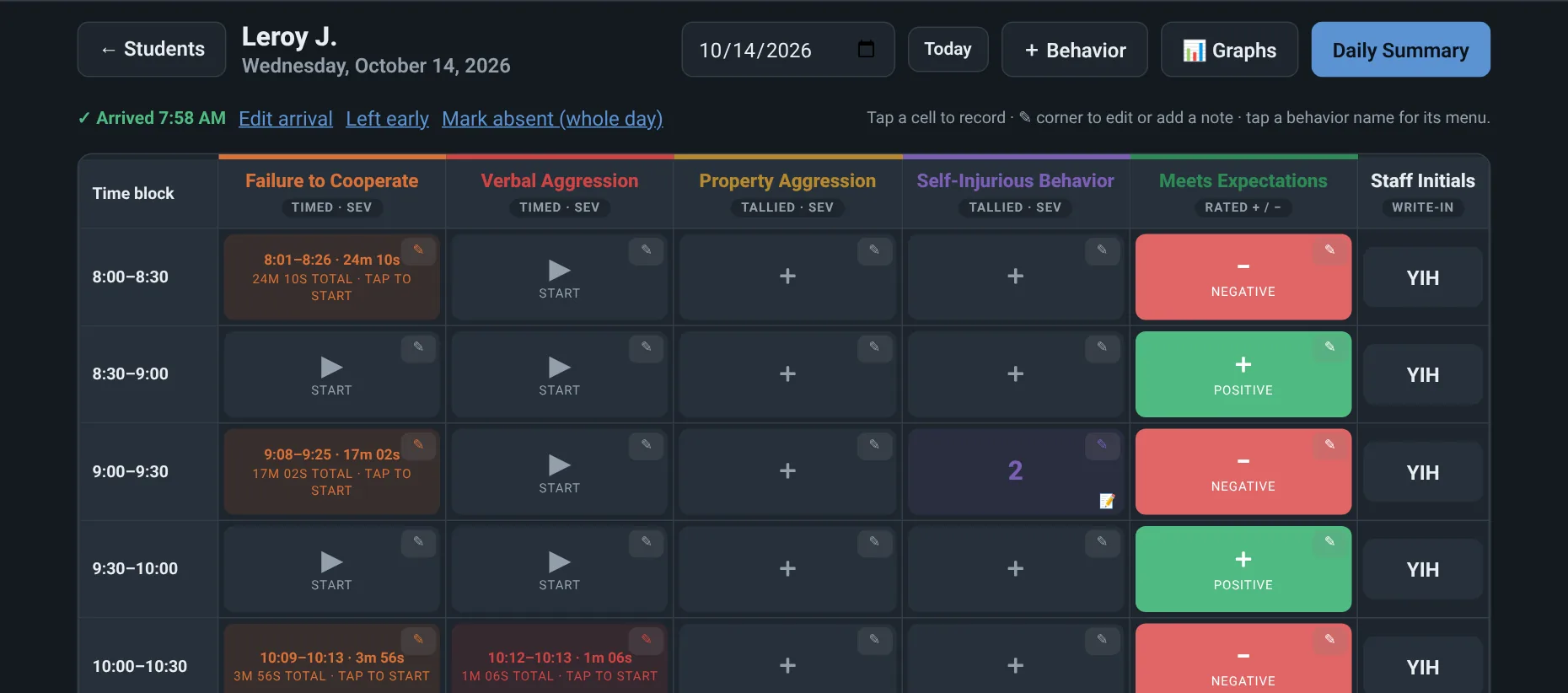
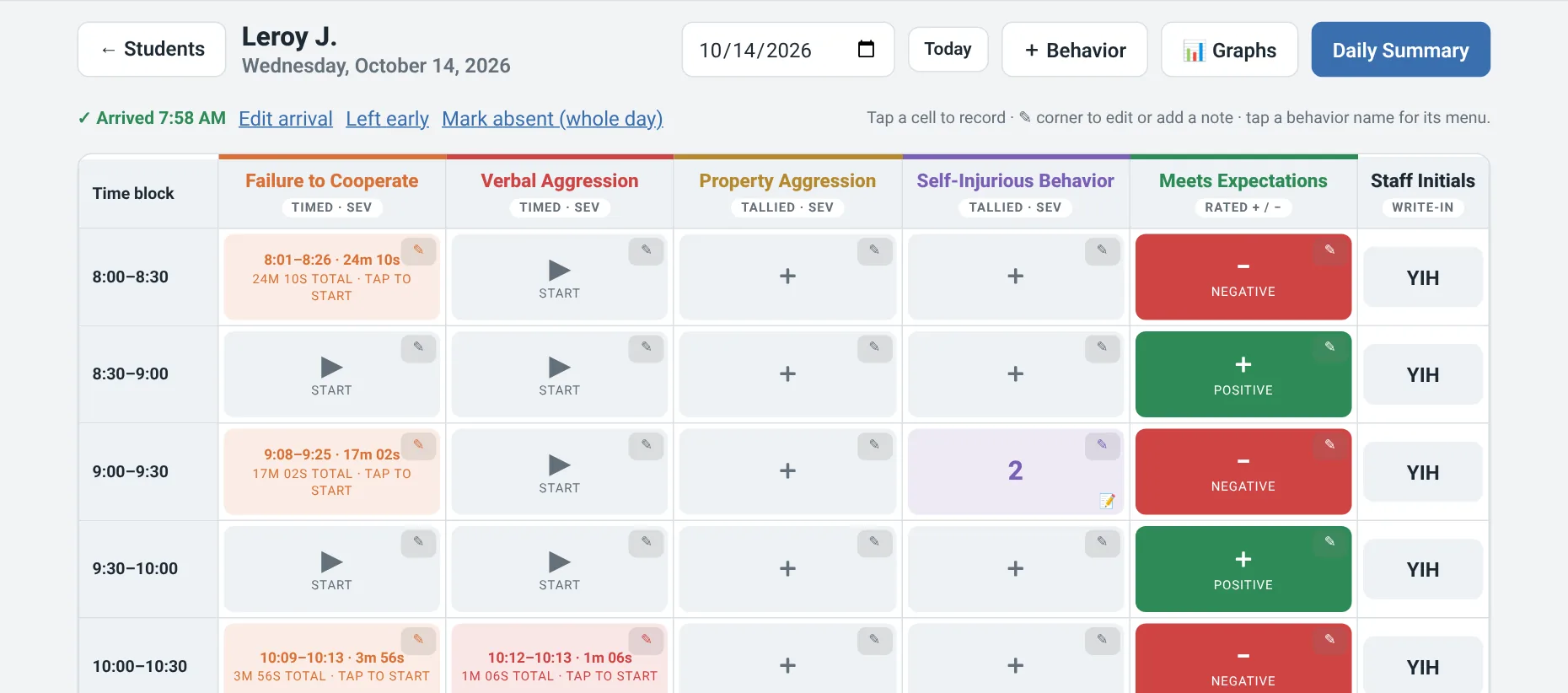
The school day is split into 30-minute blocks. Staff tap to record what they see, and SteadyTrends does the organizing. A demo classroom with made-up students is built in, so you can explore right away.
-
Unlock your profile
Each teacher profile is protected by a 4-digit PIN. No accounts, no server, no internet needed.
-
Tap to record
Count tallied behaviors, time episodes and mark when the student is back on track, and give each block a rating. One more tap records what happened right before and right after (ABC data).
-
Add initials & notes
Staff add their initials and a short note to each block, so everyone knows who saw what, and when.
-
See it, share it
Clear graphs show the trends, with a goal line for each IEP / BIP goal. Compare before and after a change, print a ready-made IEP report, or Export to Excel (CSV). A rule-based daily summary drafts the day’s recap. Staff review and edit it, then decide whether to share it with parents.
For the people who support students every day.
Behavior teams
Build more effective behavior plans from accurate, block-by-block data instead of best guesses, and pass a student’s data to a colleague with encrypted staff sharing.
Teachers & aides
Record in a tap or two and get back to the student. No clipboards, no rewriting sheets at the end of the day.
BCBAs
See frequency, duration, ratings, and ABC patterns across the day in clear graphs, and track progress toward each IEP / BIP goal.
Program directors
No server to run and no accounts to manage. Student data isn’t uploaded anywhere.
No server. No uploads.
SteadyTrends runs on the computer it’s installed on and never sends anything online. Data is encrypted on the device with AES-256, and backups and staff-sharing files are encrypted too.
The app’s encryption helps, but it can’t protect a lost or stolen laptop on its own. Schools should also keep device disk encryption (BitLocker on Windows) turned on. Anything staff choose to export, like CSV (Excel) files, graph images, printed reports and summaries, is a regular unencrypted file that staff control. The app reminds staff of this before a CSV export.
Testers use made-up data only.
- Works offlineNo internet connection and no server required.
- 4-digit PINEach teacher profile is locked with its own PIN.
- AES-256 encryptionData is encrypted on the device.
- Encrypted backupsBackups are encrypted, just like the data on the device.
- Encrypted staff sharingSend one student or the whole class to a colleague in a passphrase-locked file. Importing adds to their data and asks before changing anything.
Every student deserves a plan built on what really happened.
Our mission is to replace classroom clipboards with effortless tracking, giving educators their time back so they can focus less on paperwork and more on supporting students.
Behavior plans are only as good as the data behind them. When data is accurate and recorded in the moment, teams can see what’s working, adjust what isn’t, and show real progress a student has made, not just how the day felt.
SteadyTrends makes that data easy to capture. One tap during class, block by block, so staff can stay focused on the student instead of the clipboard.
Give it 15 minutes. Tell us what you think.
We’re looking for teachers, aides, BCBAs, and behavior staff to try SteadyTrends and share honest feedback.
- About 15 minutes
- Made-up data only
- Free
- Windows app, or Chrome / Edge
- Demo classroom included
Privacy: This form is handled by Netlify, our website host. We only use your information to contact you about testing. Never include student information. To have your information deleted, email SteadyTrendsApp@gmail.com.